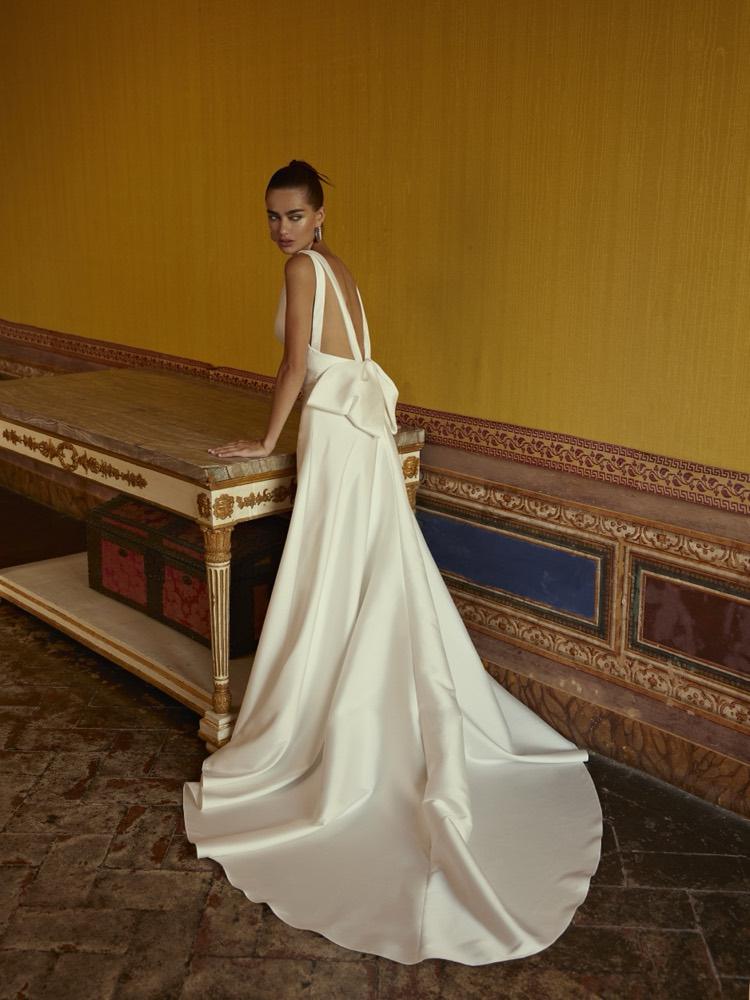
Modeca · Bridal 2027
Order
Studio
From the stand to a signed order in minutes, built on the photos your clients fell in love with.
Prepared by Utopia Milano Production · November 2026
At the show today
Today a show order ends on paper
Paper and phone photos
Orders are written by hand. Buyers remember dresses from blurry phone shots of a sample on a hanger.
Retyping after the show
The office re-enters every form and calls boutiques to check sizes, colours and options.
Lost momentum
A buyer sees ten brands in a day. At home, the brand whose dresses look best in the buyer’s hands wins.
The journey
Eight steps from invitation to follow-up
Invite
Personal invitation and a booked time with their agent
Queue
Scan at the entrance, browse while waiting
Select
Scan sample tags or browse the catalogue
Order
Sizes, colours, options and customisation with the agent
Sign
Finger signature on the client’s phone or the iPad
Confirm
The office checks and accepts the order
Client page
Live status and the Private Preview kit
Follow-up
Warm leads and dresses that were not taken
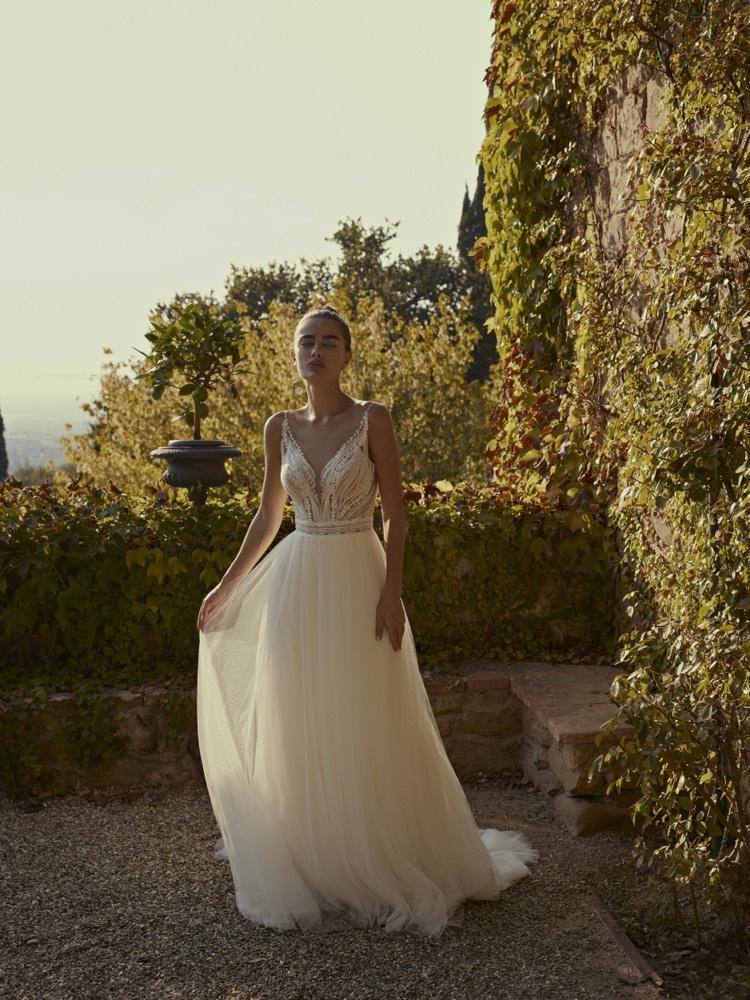
01 · Before the show
Buyers arrive expected, at a booked time
A personal invitation from Modeca’s own mailbox, linked to the Private Preview brochure
Reply with one tap and book a time slot with their own agent
Reminders the day before and an hour before; the agent can move the time in one tap
VIP boutiques are flagged: management gets a message the moment they arrive
02 · At the entrance
No one waits idle, no one waits long
Live queue
The buyer scans the QR at the entrance and types the boutique name. They see their place and the waiting time, browse the catalogue and fill their selection. When the agent is free, a WhatsApp message calls them in.
Sign-in in ten seconds
Suggestions appear only after five letters, so no one sees competitors’ names. A one-time code arrives by WhatsApp, with e-mail as backup. A new boutique gives five details and a GDPR tick, or a photo of a business card. The agent marks “verified in person”; the office checks later.
03 · Scan and select
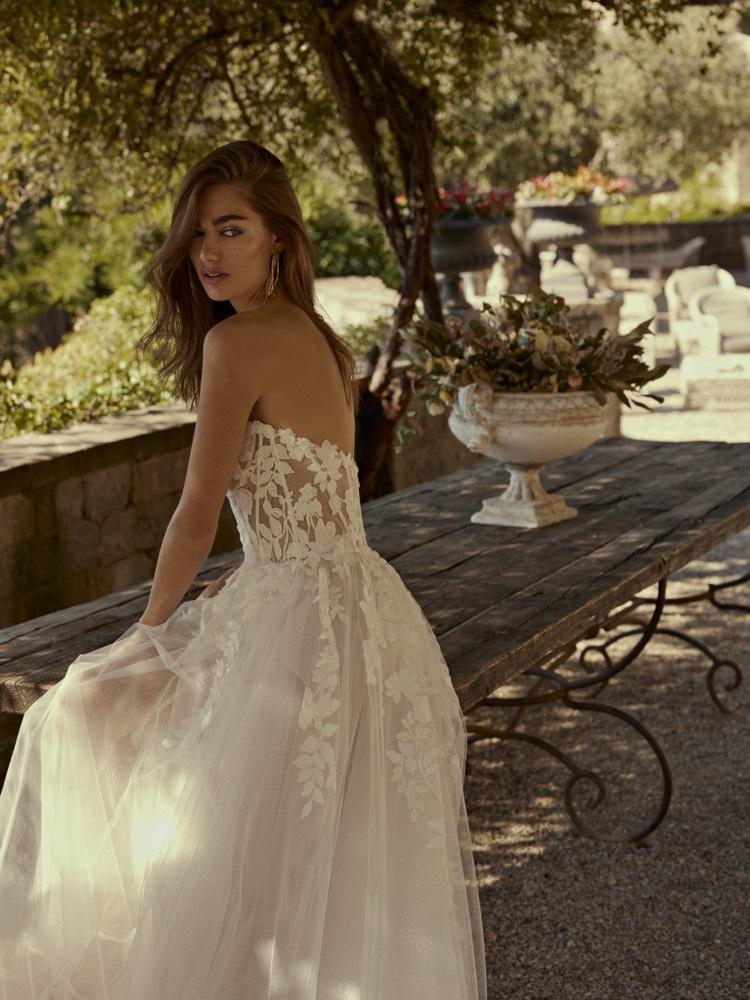
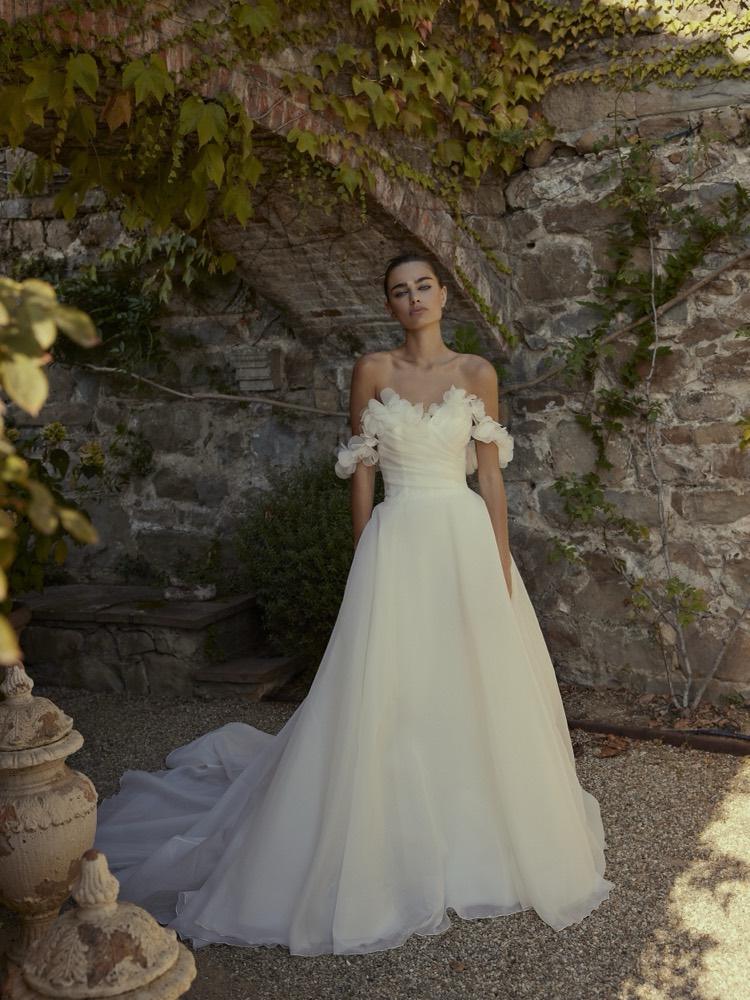
Every sample has a QR code
Scan first: buyers walk the rails and scan; each scanned dress goes straight into My selection, with Undo
Catalogue second: an extra option to browse, with a big “Back to Scan”
The owner and her staff choose from their own phones into one shared list
Each line shows who chose it; staff picks are highlighted for the owner
The prototype · screens
Selection and order line
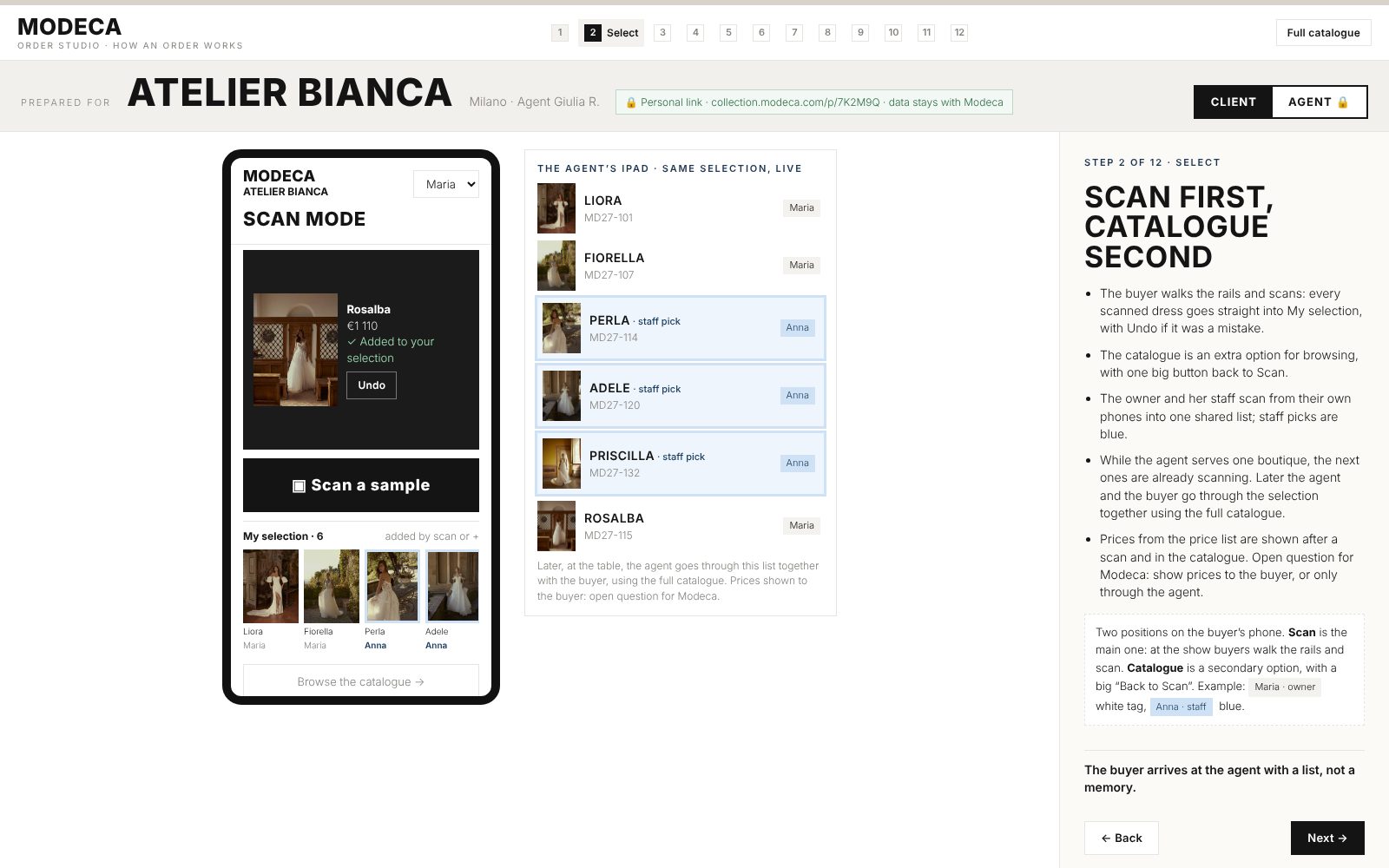
Buyer’s phone in Scan mode: one big scan button, every scan goes straight into My selection. The catalogue is a secondary option. The agent’s iPad shows the same list live.
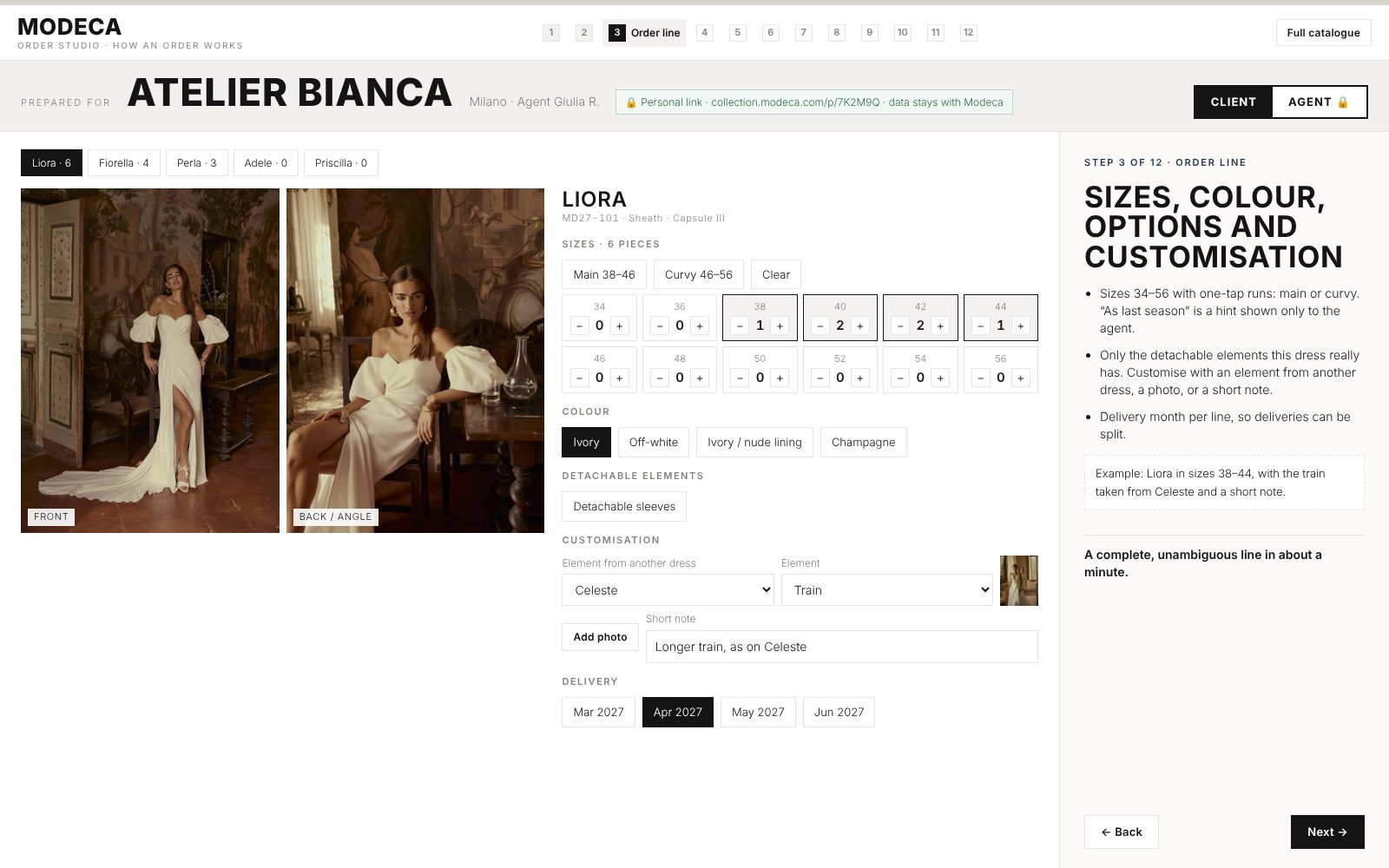
Order line: all photos of the dress, sizes 34–56, colour, options, an element from another dress.
04 · Building the order
A complete order line in a minute
Sizes 34–56
One-tap runs: main, curvy, or as last season. Then adjust with + and −.
Colour and lining
Ivory, off-white, nude lining and the colours each model allows.
Detachable elements
Only the options this dress really has: sleeves, overskirt, cape, train, back.
Customisation
An element from another dress, a photo of the detail, or a short note.
Delivery per line
Choose the month for each dress and split deliveries when needed.
Price from the price list
Euro by default, other currencies optional. Agent discounts wait for office approval.
A live total at the bottom shows models, pieces, the sum and how far the boutique is from the show offer.
05 · Client mode and agent mode
Same dress, two screens
What the buyer sees
- Photos, details, capsule
- Sizes and quantities of the order
- “+ Selection” and who chose each dress
- Prices from the price list (to confirm with Modeca)
- Their personal link, nothing about other boutiques
What only the agent sees
- Wholesale price, discount waiting for office approval
- Territory check and pre-orders already signed nearby
- Exclusivity badges and the 48-hour hold
- Last season’s order of this boutique
- Dresses selected but not ordered, and the reasons
- The agent’s own statistics
One toggle in the header. Agent to client: one tap before turning the iPad. Client to agent: Face ID or PIN. In agent mode the whole header turns red with an “Agent mode” label; the client view stays neutral.
06 · Agent mode
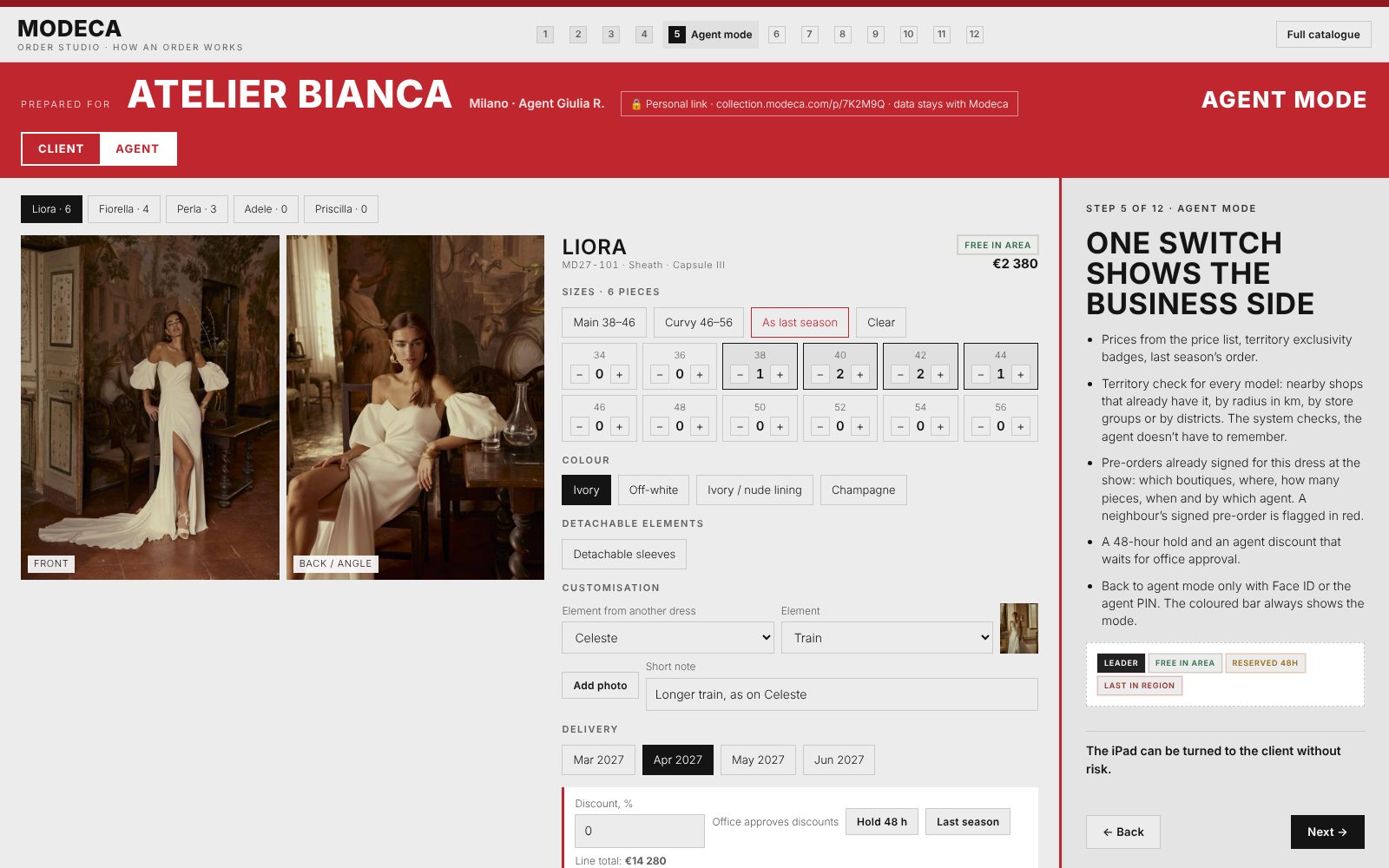
The agent sees the business side
Price from the price list and the line total
Exclusivity badge, 48-hour hold, last season
Discount, approved later by the office
Red header and “Agent mode” label on every screen
07 · Territory exclusivity
Exclusivity, visible at the right moment
Your rules
Radius in kilometres, groups of shops or districts. The brand sets it once; the system checks every model.
Agent only
Badges appear only in agent mode. The agent decides what to tell the client.
48-hour hold
Optional: a model stays reserved for a boutique while it decides.
07 · Territory and pre-orders
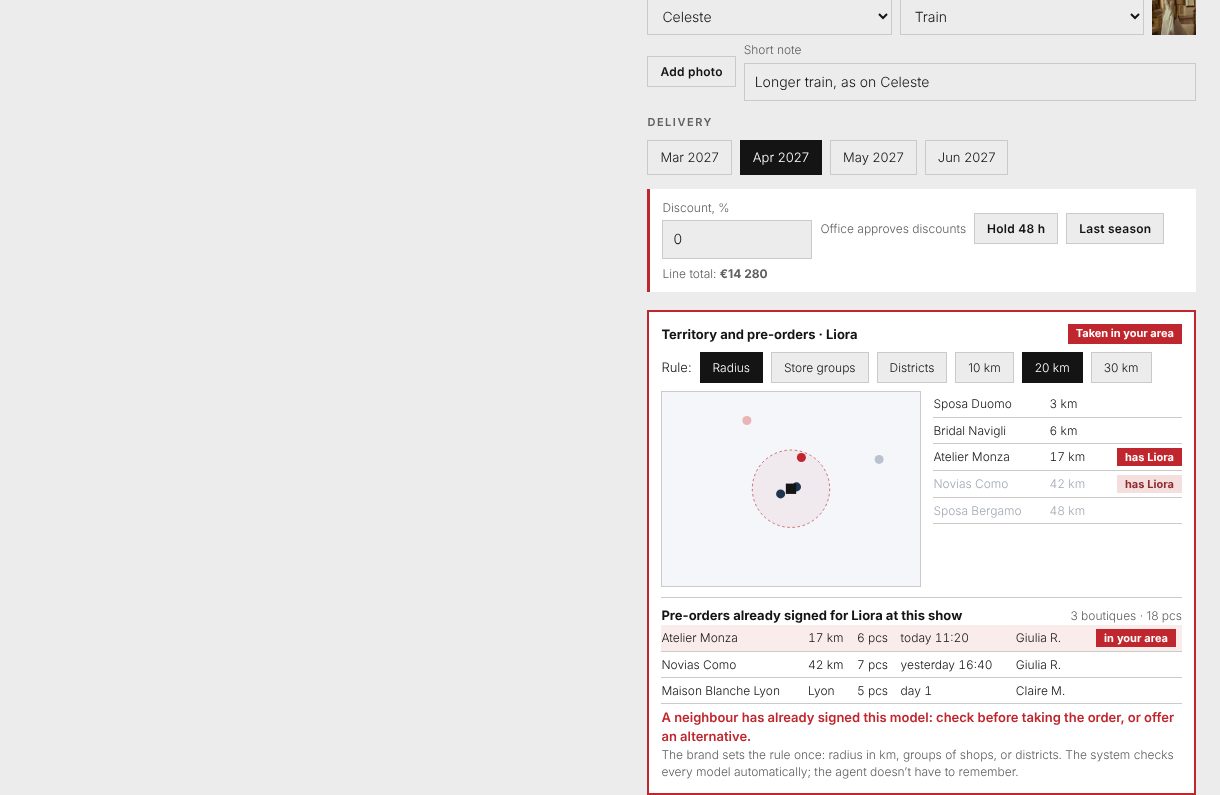
No need to remember who has what
One rule set by the brand: radius in km, groups of shops, or districts
For every model: nearby shops that already have it, on a map and in a list
Pre-orders already signed at this show: boutique, distance, pieces, time, agent
A neighbour’s signed pre-order is flagged in red before the agent takes the order
08 · Sign and confirm
Two clear steps: sent, then accepted
Client signs
Finger signature, name and a tick. Status: sent.
Copies in a second
The same order page goes to the client, the agent and the office.
Office accepts
Prices, options and dates checked. Status: accepted.
Deposit tracked
Not required, requested or paid, with the amount.
Before the signature, the agent sees dresses that were selected but not ordered. If one is not taken, one tap records why: price, style, delivery date, no exclusivity, later or another brand, plus a comment.
The prototype · screens
Review, signature, confirmation
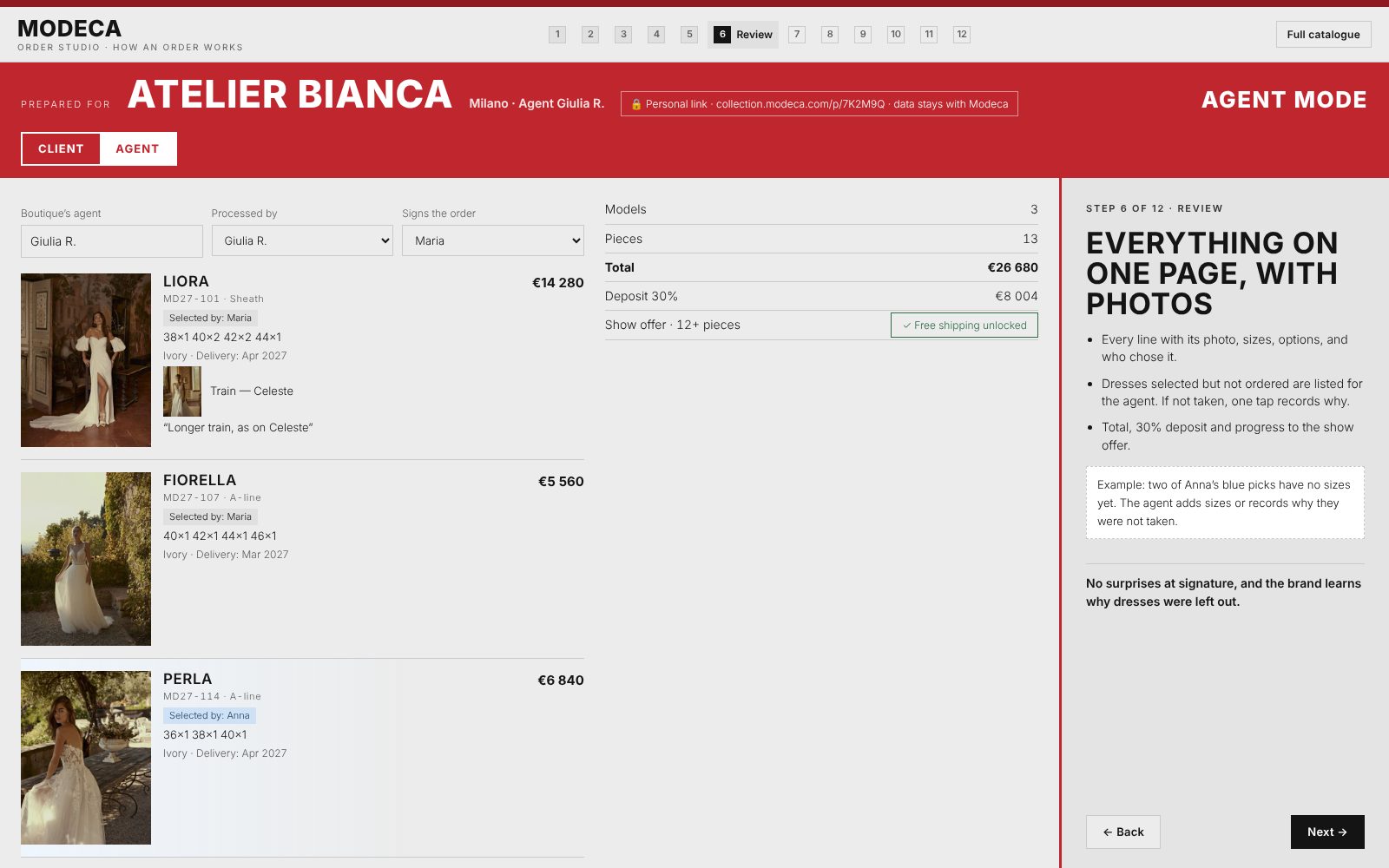
Review in agent mode: photos, who chose, selected but not ordered.
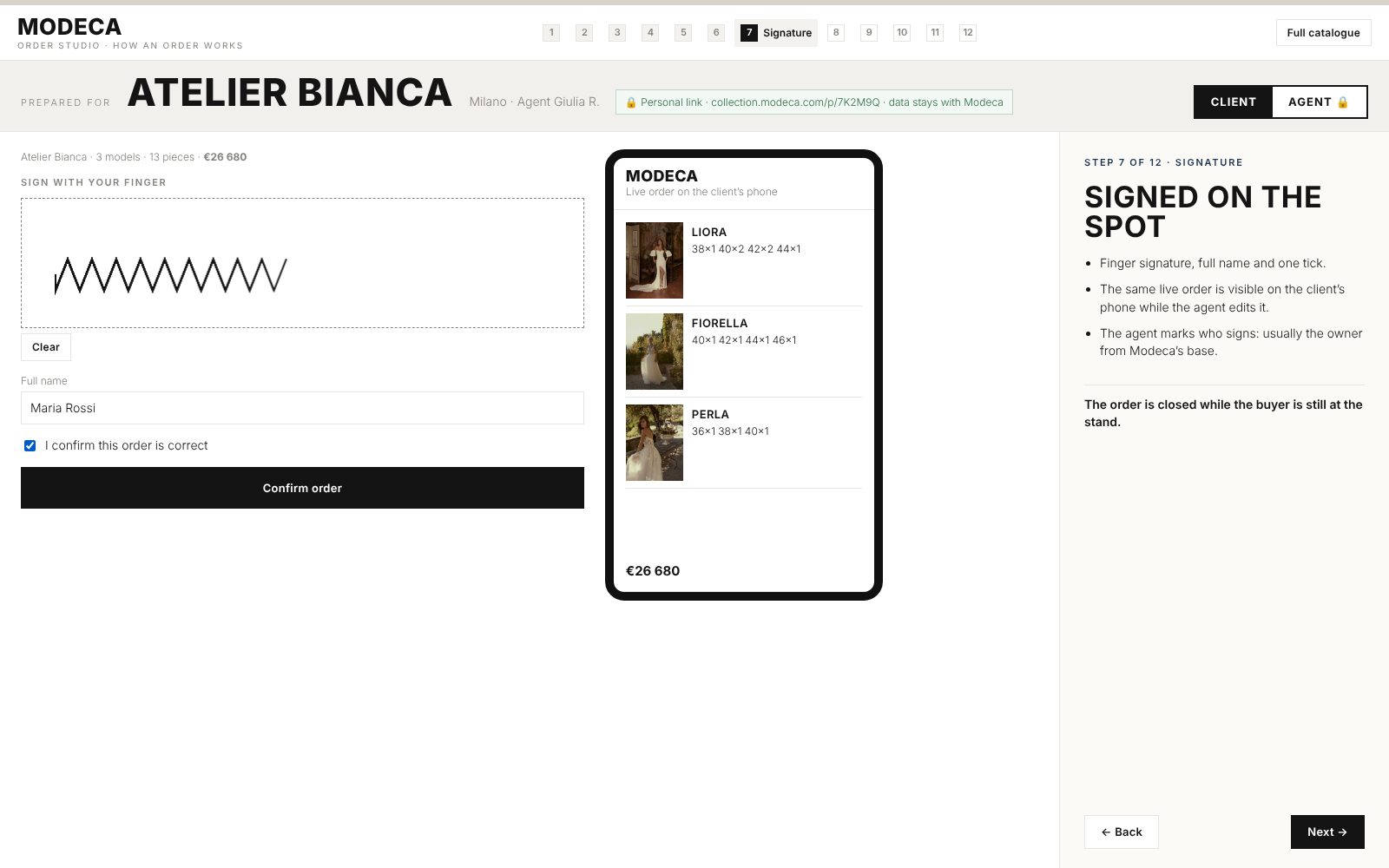
Signature on the spot; the client’s phone shows the same order live.
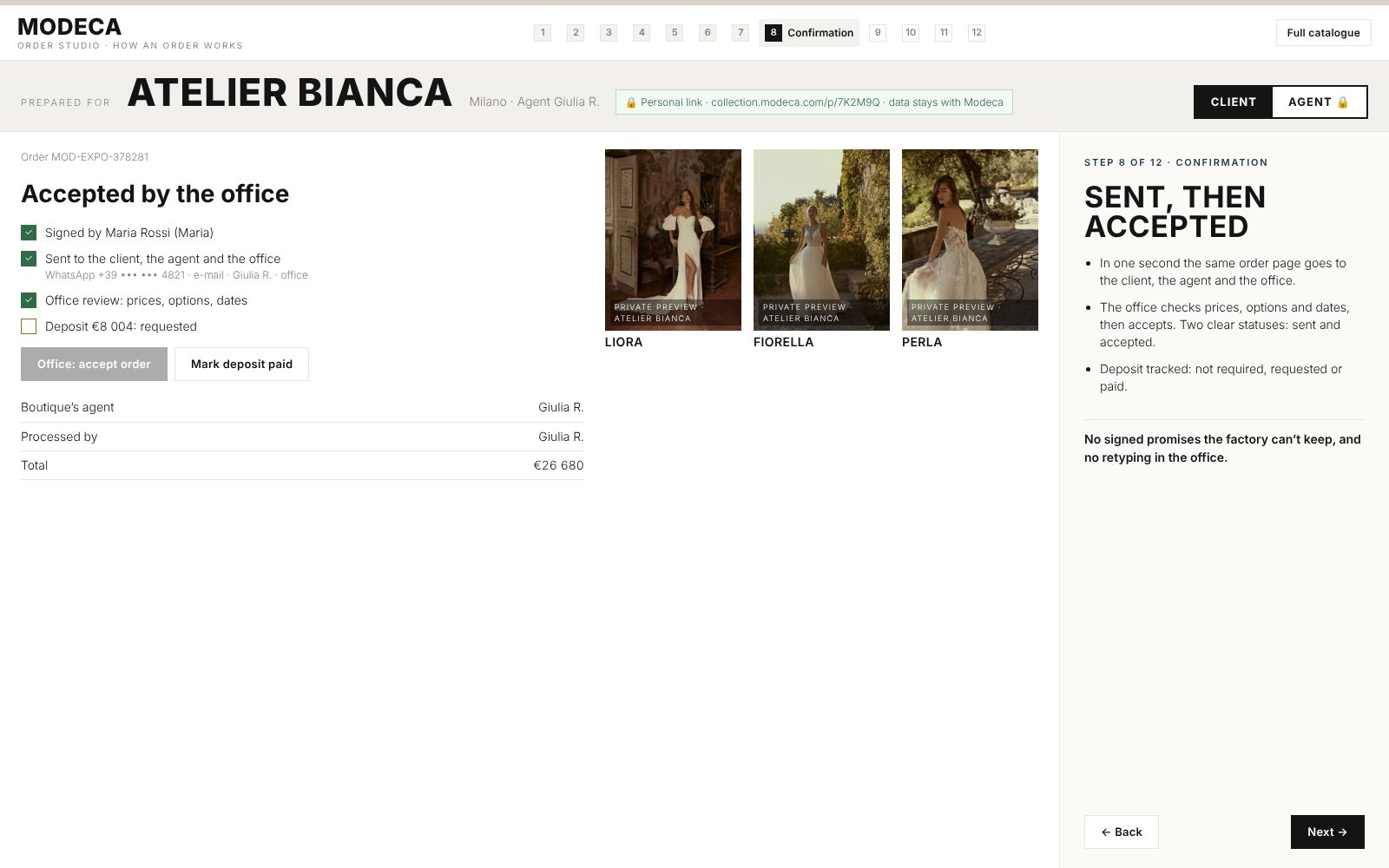
Sent, then accepted by the office; deposit tracked.
09 · After signing
A personal link, always active
Made only for this boutique: its name, its agent, its order. Client data never leaves Modeca’s own account
Sent by WhatsApp and e-mail the moment the order is signed
The order with photos, sizes, options and the total
Live status: sent, accepted, in production, shipped
The Private Preview kit of every ordered dress
Changes always through a person: “Write to my agent” by WhatsApp or e-mail
10 · Photos and protection
Beautiful at home, protected from competitors
An online presentation
Good-quality previews on the buyer’s phone, online only, with the boutique’s name as a watermark. Unsigned picks disappear from the buyer’s phone after 7 hours. Modeca keeps the data.
The full Private Preview kit
For every ordered dress: video, angles and details in one standard format. Show to brides right away; publish from Modeca’s release date. An invisible personal mark is embedded in every file.
11 · Agent statistics
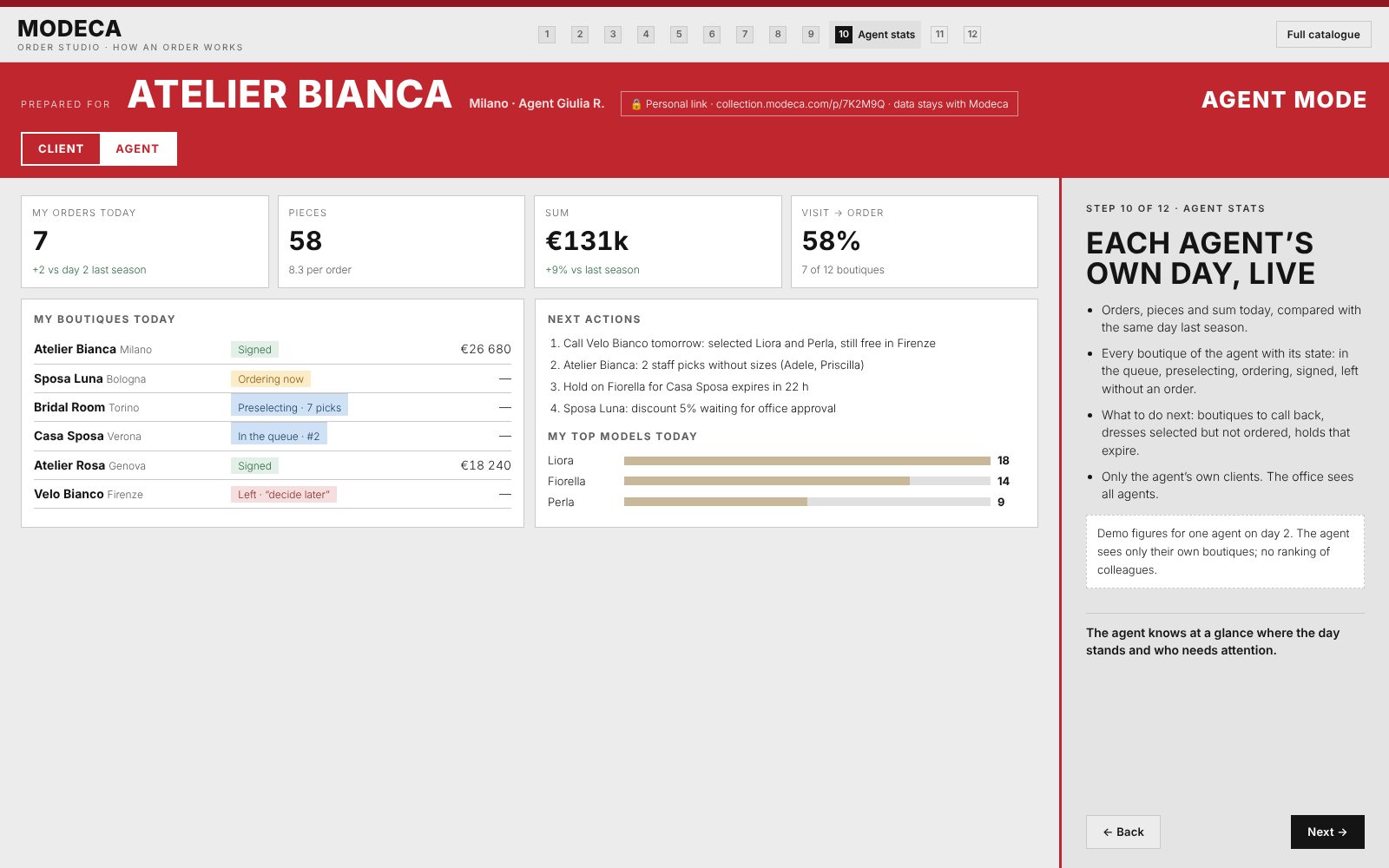
Each agent’s own day, live
Orders, pieces and sum today versus the same day last season
Every boutique of the agent with its state: queue, preselecting, ordering, signed, left
Next actions: call-backs, picks without sizes, holds that expire, discounts waiting
Only the agent’s own clients; no ranking of colleagues
12 · The company’s day
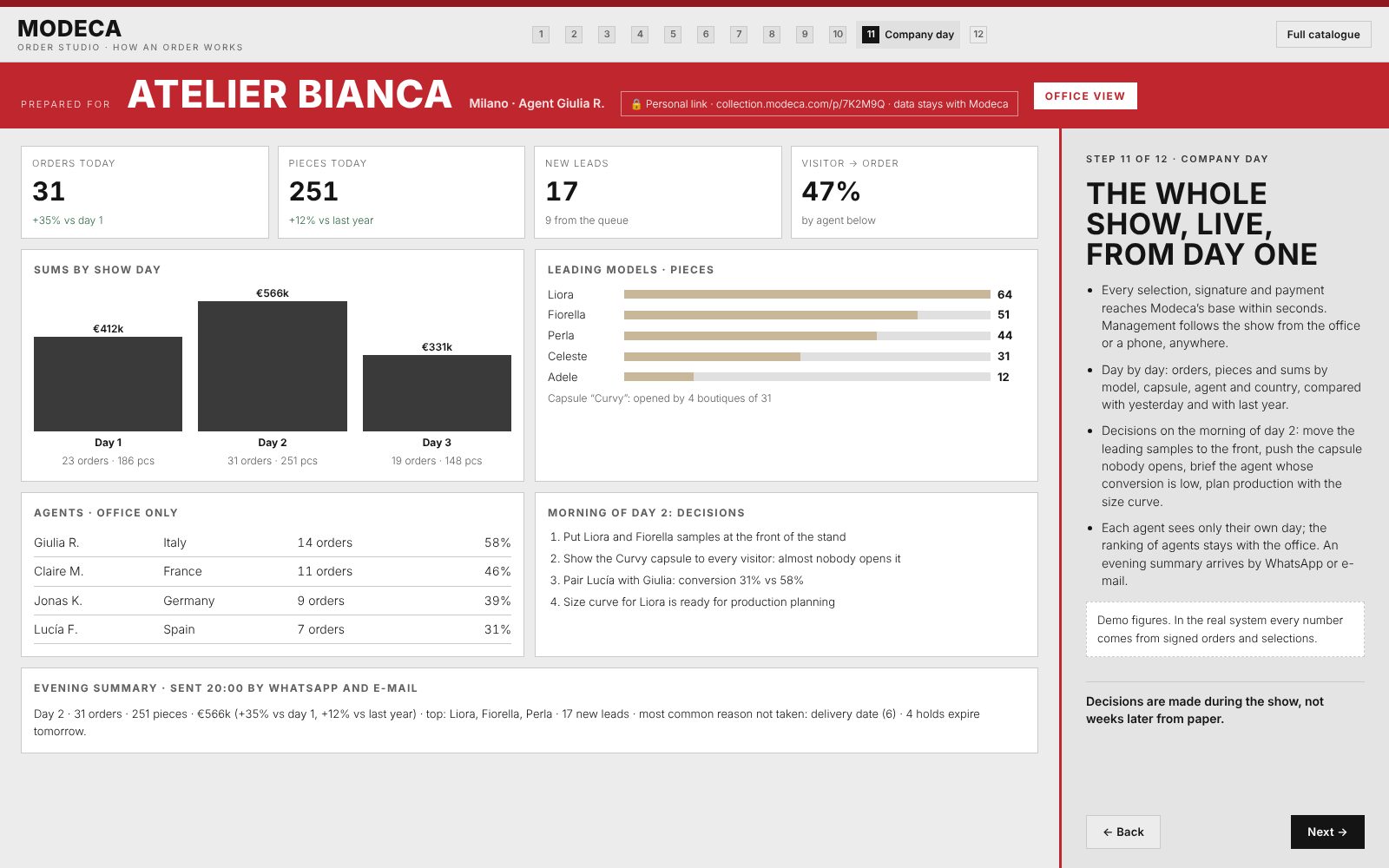
The whole show, live, from day one
Orders, pieces and sums by day, model, capsule, agent and country
Conversion per agent and the capsule nobody opens
Morning of day 2: move leading samples forward, push the weak capsule, pair agents, plan production
Evening summary by WhatsApp and e-mail at 20:00
13 · What the data gives
Watch the show unfold, day by day
Office, live
Orders by day, model, capsule, agent and country. Visitor-to-order conversion. Agent ranking for the office only.
Agent, live
Their own orders, sums and clients, compared with their last season.
Evening summary
Every show evening by WhatsApp or e-mail: totals, versus yesterday and last year, top five dresses, new leads.
After the show
Size curve per model for production, territory coverage map, each boutique versus last season, reasons for not taking.
Every signature, selection and payment lands in one base in Modeca’s account within seconds. On a weak connection, orders wait on the iPad and send themselves later.
14 · Advantages
What changes for everyone
Before the order
- Booked times
- Preselection from the brochure and the queue
- Prices visible (to confirm)
At the stand
- Parallel work
- QR and size runs in one tap
- Signed on the spot
Office
- No retyping
- Sent and accepted
- Export, size curve
Management
- Live figures
- Decisions on day 2
- Leads and follow-up
The buyer
- Personal link
- Beautiful photos
- A person for changes
15 · Follow-up and upsell
Warm leads, at the right moment
Leads who visited but did not order, with what they looked at and selected
Signed boutiques: dresses they selected but did not take, still free in their area
Triggered by interest, even weeks later, or after a delay the brand chooses
The agent gets the list and a draft, then sends it by WhatsApp or e-mail
Approved by the agent, the office or both; counted in the statistics
16 · Security and integration
Modeca’s data stays with Modeca
Web app
Works on iPad and phone, installed from the browser, no App Store. Catalogue and drafts work offline.
Devices
Each agent’s link is bound to a device by WhatsApp code. The office can switch off any device.
Privacy
Each boutique sees only its own order. Client data stays in Modeca’s account. GDPR consent text from Modeca’s lawyer.
Integration
Three levels: Excel or CSV export, automatic transfer, then two-way status from Modeca’s system.
17 · Built as modules
Switch on what Modeca needs
| Module | For Modeca |
|---|---|
| Order at the stand: catalogue, selection, order, signature | On |
| Queue, client sign-in, multiple buyers per boutique | On |
| Territory exclusivity and 48-hour hold | On |
| Pre-show invitations, booking, reminders | On, with Private Preview |
| Follow-up and upsell | On |
| Unsigned previews expire after 7 hours | On for Modeca |
| Accessories line | Optional |
| Direct integration with Modeca’s system | Next phase |
| Advanced e-signature (DocuSign type) | Next phase |